
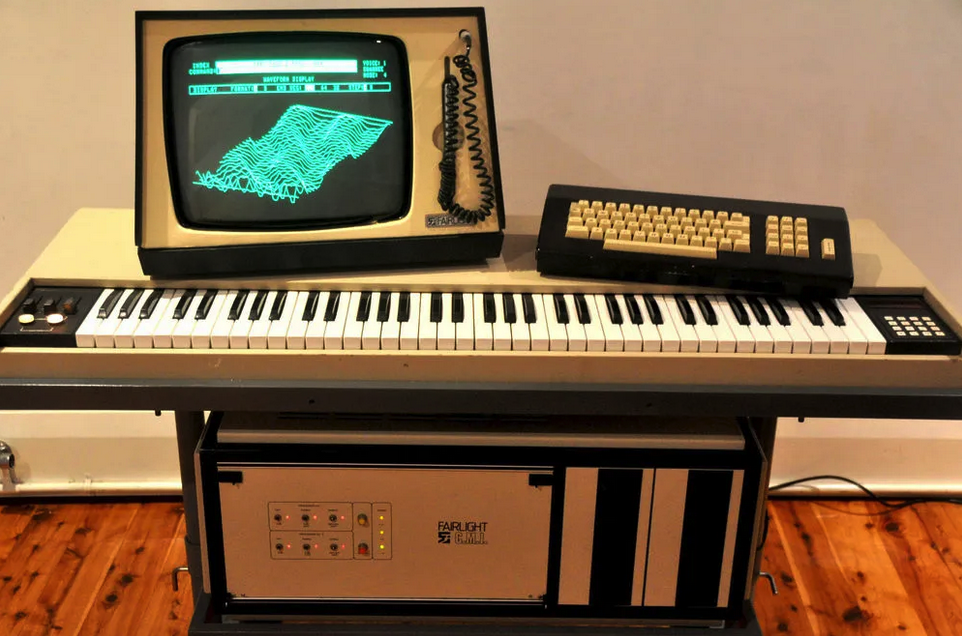
Conversion and re-programming work from Kontakt and Reason has now started on a larger scale, and we hereby present Fairly Light. This is on its way to become two huge new Fairlight CMI based Bitley libraries specifically designed for Logic and Ableton Live. Updates are free as the library grows, we have channel strip instruments, sampler instruments and samples of course. You might also want to check out the new sample pack sets called Fairlite.
Join the discussion on Gearspace
Ableton users: Hang out, there are many errors among the current patches but we will provide
a fix for this shortly. If you are comfortable playing around with the samples and making your own sampler kits, the current version is a mega fun Lego Technic type of sound kit, but if you need readily playable sounds please go for Logic Kontakt or Reason for now.
Post purchase: Getting started in Logic
- Your downloaded folder unpacked automatically and it resides under Downloaded files.
- Locate the folder Audio Music Apps. It is under your username and under Music.
- Copy the files from the downloaded files into the folders, tip; do not replace your folders as you might have your own settings there. You can replace your own folders if your Logic installation is brand new without any tweaks. The folders we are using are: Instrument (under Channel Strip Settings), Sampler Instruments and Samples.
- When done you will find the Bitley sounds here:
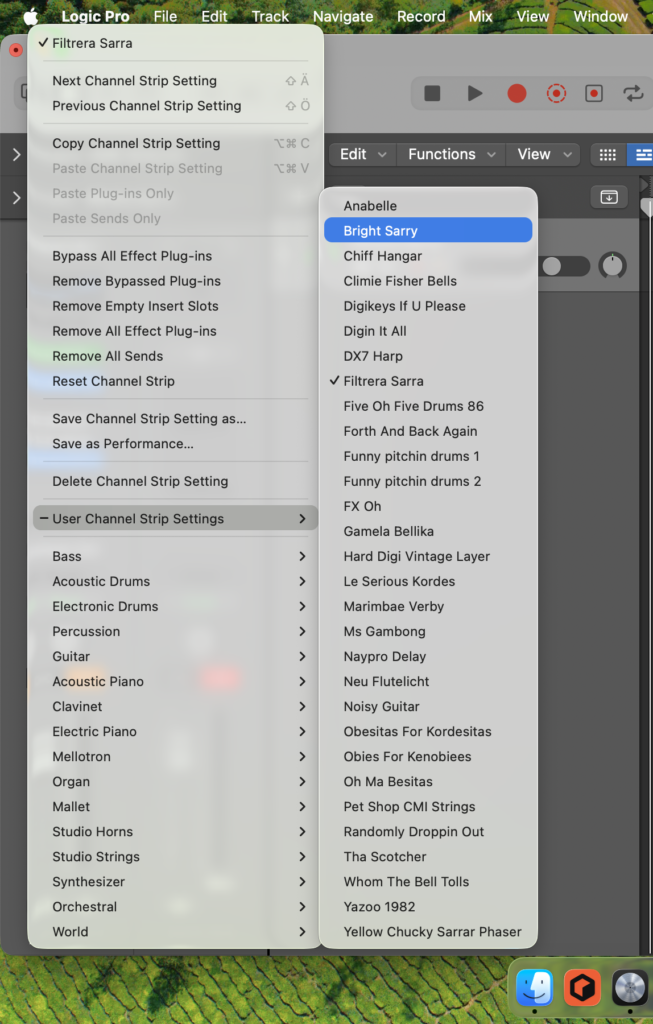
You can also browse Sampler Instruments from the Sampler, but the Channel Strip Settings are fun because they load the whole patch including effects.
Have fun!